How is the "My tax return" page structured?
On the "My Tax Return" page, you will find an overview of all the important steps – from data entry to checking your tax assessment notice.
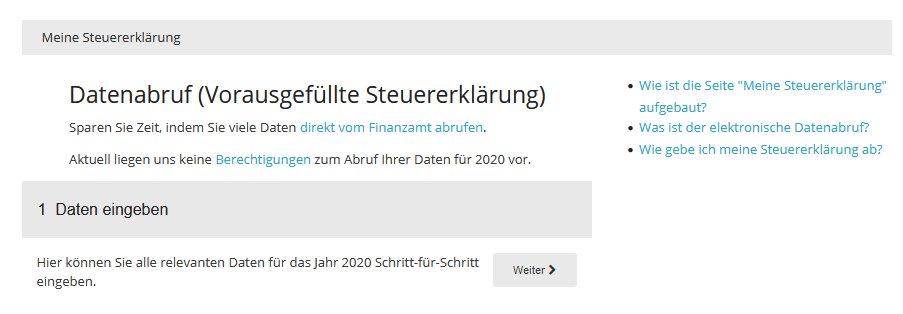
1 Enter data
In the "Enter data" section, you can enter your details for the tax return using the tax interview. The questions are organised by topic and guide you step by step through the areas relevant to your tax situation.
If you participate in the electronic data retrieval, you can directly import the tax data provided for you by the tax office.
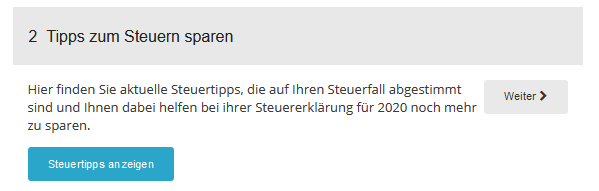
2 Tax saving tips
Here you will find individual tax tips tailored to your information. The tips help you identify possible tax advantages and make the most of tax planning opportunities.
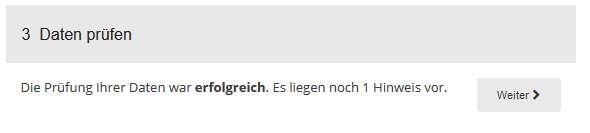
3 Check data
Before submitting your tax return, you can have your entries checked for completeness and plausibility. Any errors, missing information or contradictory entries will be identified and displayed.
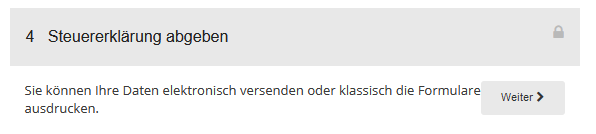
4 Submit tax return
This section takes you to the "Submission" page, where you can electronically submit your tax return to the tax office.
Note: For electronic submission, your tax return must first be paid for and activated.
After successful submission, you will find the confirmation of receipt from the tax office with the Telenumber and transfer ticket here. In addition, all important documents related to your tax return are available for download.
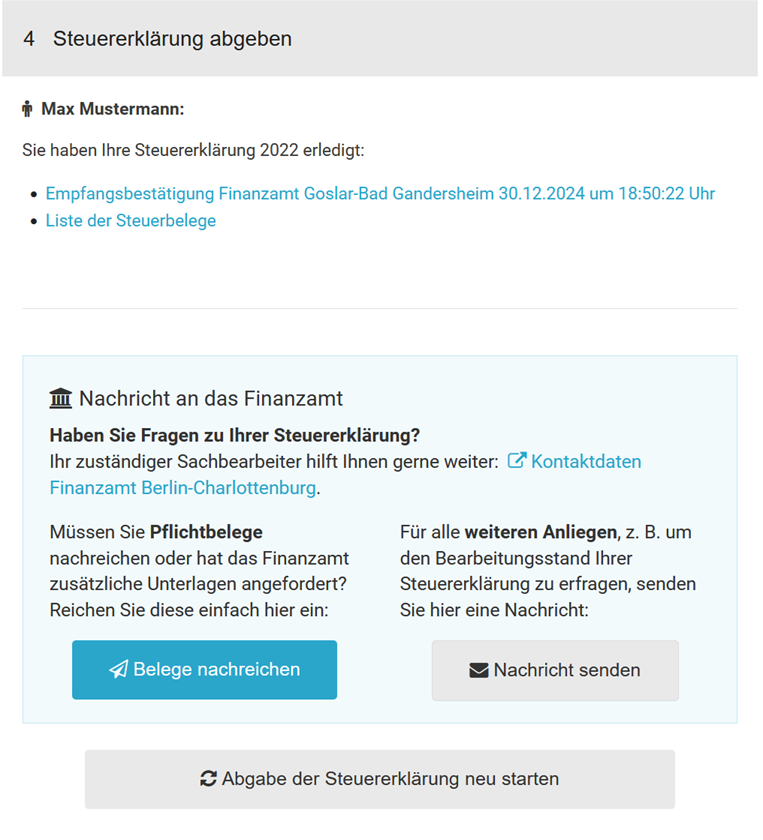
Send documents to the tax office
In all federal states, you can digitally submit required forms and evidence to the tax authorities.
Please note: Documents should generally not be submitted unsolicited. The tax authorities recommend providing evidence only upon request from the tax office.
For more information, see the section "Submit documents later".
Restart tax return submission
If you discover an error after submission, you can reset the submission process and resubmit the tax return. Then go through the individual submission steps again.
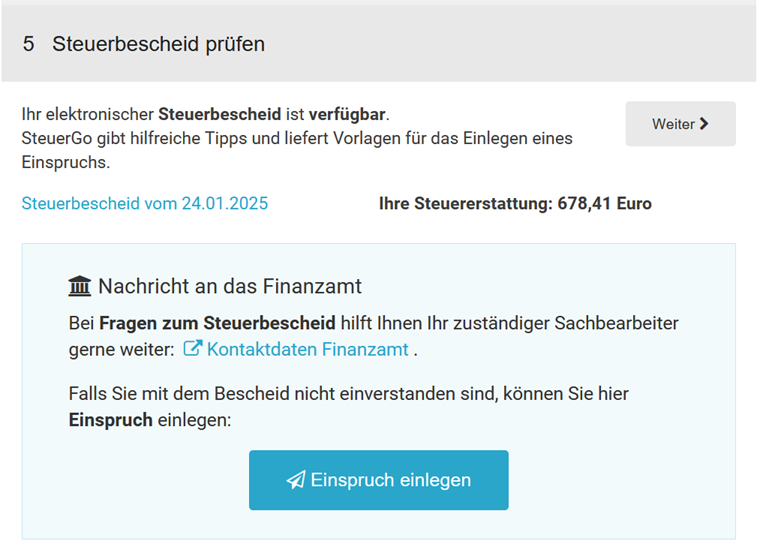
5 Check tax assessment notice
After receiving your tax assessment notice, you can compare the tax office's determinations with your tax calculation and quickly identify any discrepancies.
As soon as electronic assessment data is available, it will be automatically retrieved by SteuerGo. You will be informed of this by email.
If differences are found, SteuerGo will assist you in reviewing the discrepancies and provide helpful explanations and templates for a possible appeal.
Information about your tax office
Here you will find the address and current contact details of your responsible tax office. The tax office is automatically assigned based on the information you have selected.
The address can be automatically inserted into the address field when creating template letters.
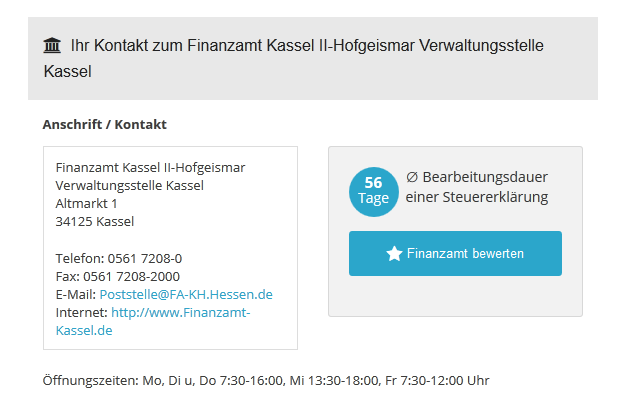
You will also receive information on the average processing time for tax returns at your tax office. The information is based on the experiences and feedback of users who have already submitted their tax return via SteuerGo.
If you have any questions about the processing status of your tax return, the contact details of the tax office are available to you directly. You can also rate your tax office and share your experiences with other users.
Template letters
In this area, you will find template letters and applications on various tax topics. The templates contain prepared standard texts and placeholders for your personal details. This allows you to quickly and easily create individual letters.
Online tax calculators
Tax regulations change regularly. New allowances, flat rates or funding opportunities often make it difficult to keep track.
With the free online tax calculators from SteuerGo, you can quickly and easily calculate various tax issues.
How is the "My tax return" page structured?
What is the purpose of data retrieval?
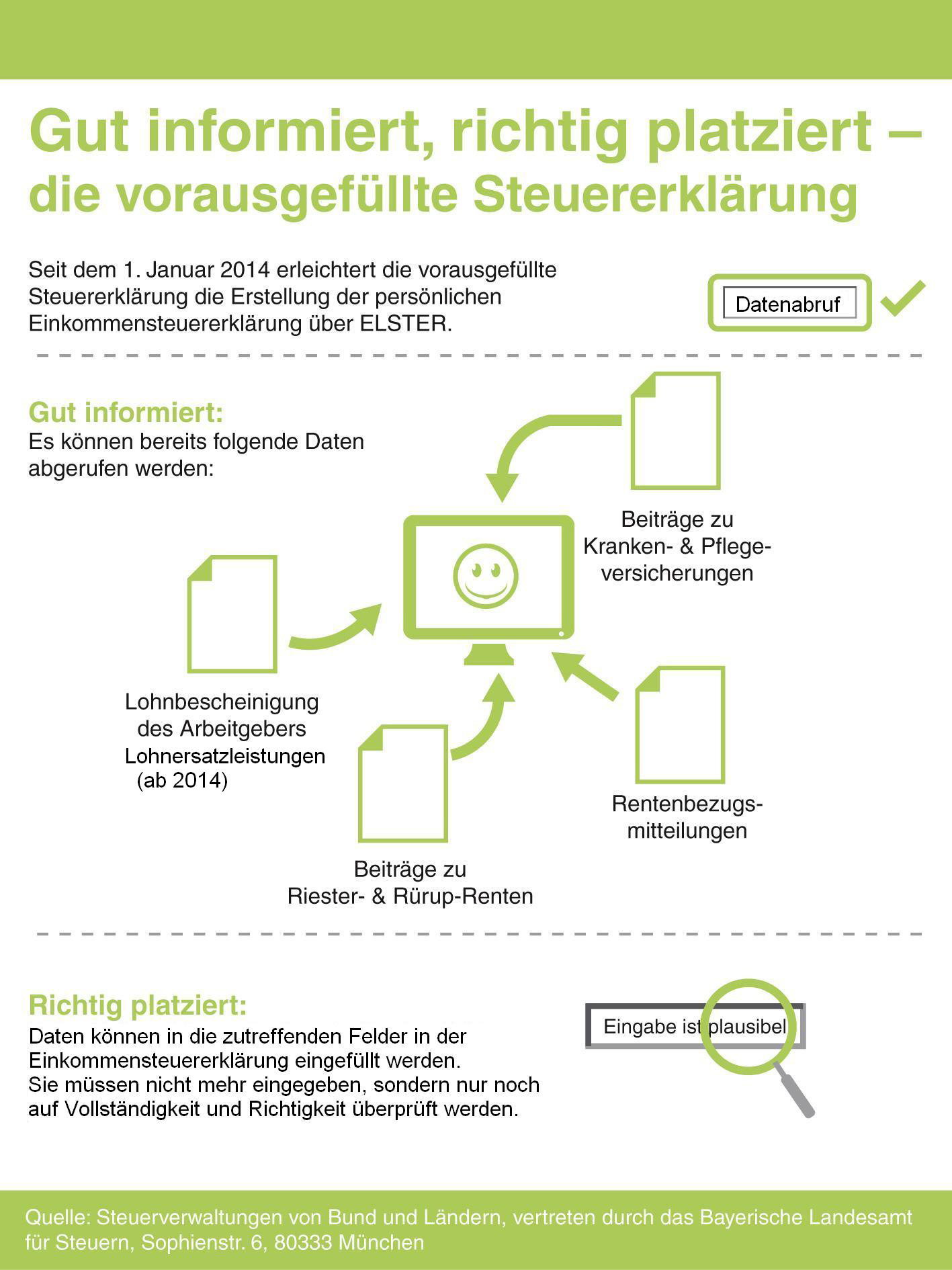
Data retrieval is a service offered by SteuerGo. Through data retrieval, you can access personal data stored about you at your tax office and import it directly into your tax return. The tax authorities also refer to the data provided as the "pre-filled tax return" (VaSt). (More information at: What is electronic data retrieval?)
Once you have set up the service, you will immediately know what data the tax office has about you. Note: Data can only be retrieved for the last 4 tax years, i.e. in the year 2026 you can retrieve data for 2025, 2024, 2023 and 2022.
You can then transfer the provided data with just a few clicks into your income tax return with SteuerGo. This means you do not have to enter the data yourself. Your data is transferred directly into the corresponding fields of the income tax return, thus largely avoiding input errors. You only need to check the transferred data for accuracy.
This gives you more time for additions that can really save taxes, such as expenses for craftsmen's services, work-related expenses or special expenses.
What is the purpose of data retrieval?
How do I submit my tax return?
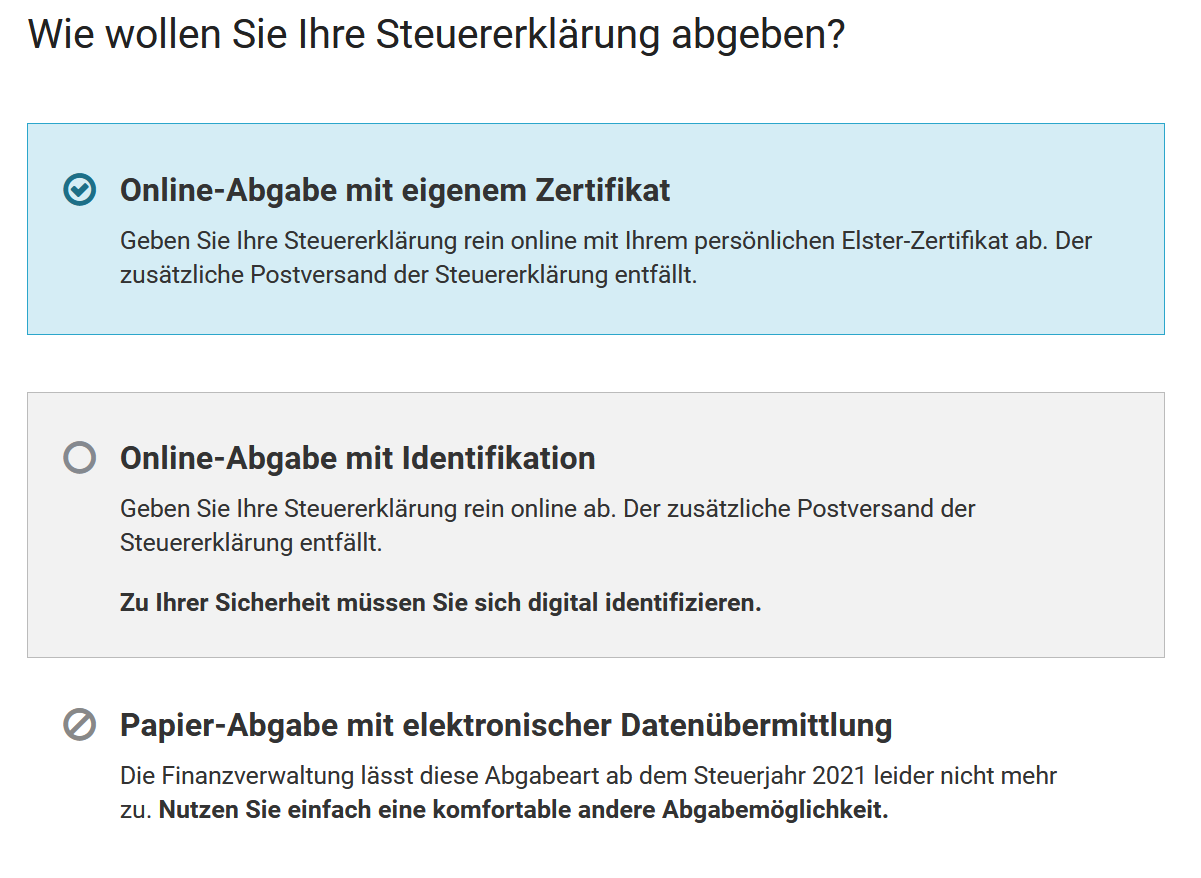
For the current tax year, the following submission methods are available to you:
1. Online submission with Elster certificate
You submit your tax return completely online with your personal Elster certificate.
- No printing, no signature, no postal delivery required
- Requirement: Valid Elster certificate
- Tip: Particularly suitable for users who regularly submit their tax return electronically
2. Online submission with identification
Even without your own certificate, a fully electronic submission is possible – after a one-time digital identification.
- No postal delivery required
- Required: One-time identification (e.g. via ID card or account verification)
- Note: Ideal for users without their own Elster certificate
How do I submit my tax return?
What is the deadline for submitting the tax return?
If you prepare your tax return for the year 2025 yourself – for example, with SteuerGo – the following legal deadline applies:
Submission deadline: 31 July 2026
Your tax return must be received by the tax office by this date.
The deadline is legally regulated in Section 149, Paragraph 2 of the Fiscal Code (AO). If you miss the deadline, a late fee may be imposed according to Section 152 AO.
If you miss the deadline, a late fee may be incurred.
Apply for an extension – but in good time!
- An extension is possible if you are obliged to submit.
- The application must be submitted before 31 July 2026.
- As a rule, an extension is granted until 30 September 2026.
Basis: Section 109 AO (Extension of deadline by the tax office in individual cases)
Voluntary submission: More time for your return
If you are not obliged to submit, you can submit your tax return voluntarily – and even up to four years retroactively.
For the tax year 2025, this means: Voluntary submission possible until 31 December 2029
Legal basis: Section 169, Paragraph 2, Sentence 1, No. 2 AO.
Tip: Contact the tax office if in doubt
Are you unsure whether you are obliged to submit? Then ask your relevant tax office. They will provide you with reliable information.
What is the deadline for submitting the tax return?
Who is required to submit a tax return?
Whether you are required to submit an income tax return for the year 2025 depends on your personal situation. In many cases, there is no obligation – however, there are exceptions. The legal basis is § 46 Income Tax Act (EStG).
When is there an obligation to submit?
A tax return is mandatory if:
- You received wage replacement benefits (e.g. parental allowance, sickness benefit, unemployment benefit) of over 410 Euro per year (progression clause),
- You had multiple simultaneous employments where one was taxed under tax class VI,
- You and your spouse or civil partner chose the tax class combination III/V or IV with factor,
- You had additional income of over 410 Euro (e.g. from self-employment, rental, capital gains without withholding tax or pensions),
- You were requested to submit by the tax office.
Detailed information on the mandatory assessment for employees can be found here: Obligation to submit a tax return.
When is there no obligation to submit?
Submission is generally not required if:
- You were employed by one employer only in 2025,
- You were classified in tax class I,
- You had no wage replacement benefits or additional income,
- none of the special cases mentioned apply.
Tip: Voluntary submission can be worthwhile
Even without an obligation, a so-called application assessment can be worthwhile. Many employees receive an average refund of over 1.000 Euro – for example, due to work-related expenses, special expenses or exceptional burdens that were not taken into account in the wage tax deduction.
When in doubt: Ask the tax office
If you are unsure whether you need to submit, your local tax office can help.
Who is required to submit a tax return?
How does the search of SteuerGo work?
If you need help with a specific topic, simply use the search function of SteuerGo. Enter your search term in the search box and click on “Search”.
Search results and functions:
- You will receive an overview of all texts containing the search term.
- The search considers:
- Your entered data,
- visible and not yet visible input fields,
- help texts and advisory texts.
- Simply select the appropriate text from the list of results.
Tips for better search results:
- Combine multiple search terms to get more accurate results. Only texts containing all terms will be displayed.
- If no results are displayed:
- Check the spelling of your search terms.
- Use fewer or more general keywords.
- Capitalisation does not matter. Whether you enter “Sonderausgaben” or “sonderausgaben” – the results remain the same.
How does the search of SteuerGo work?