What does the annual comparison show me?
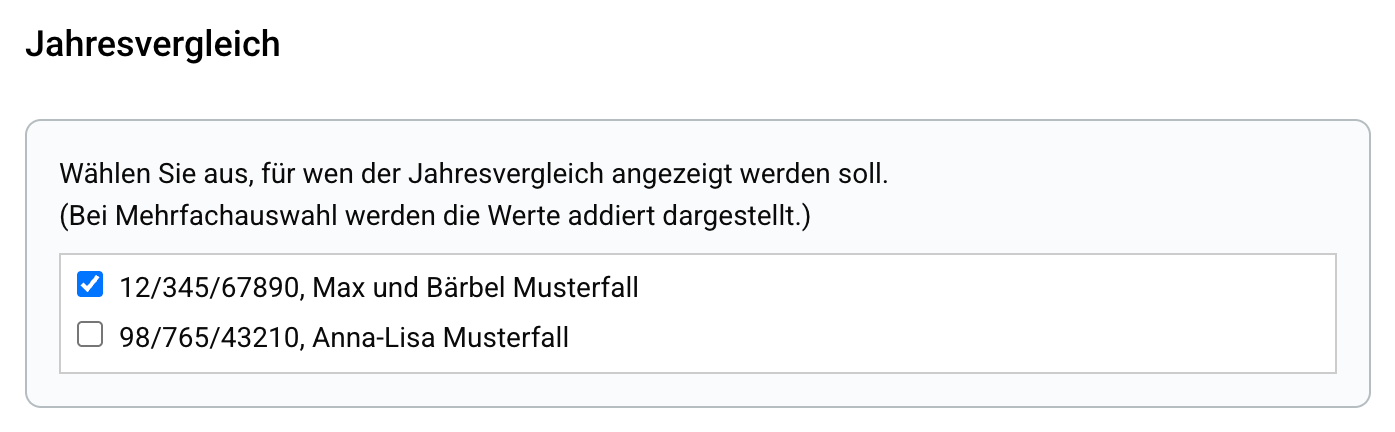
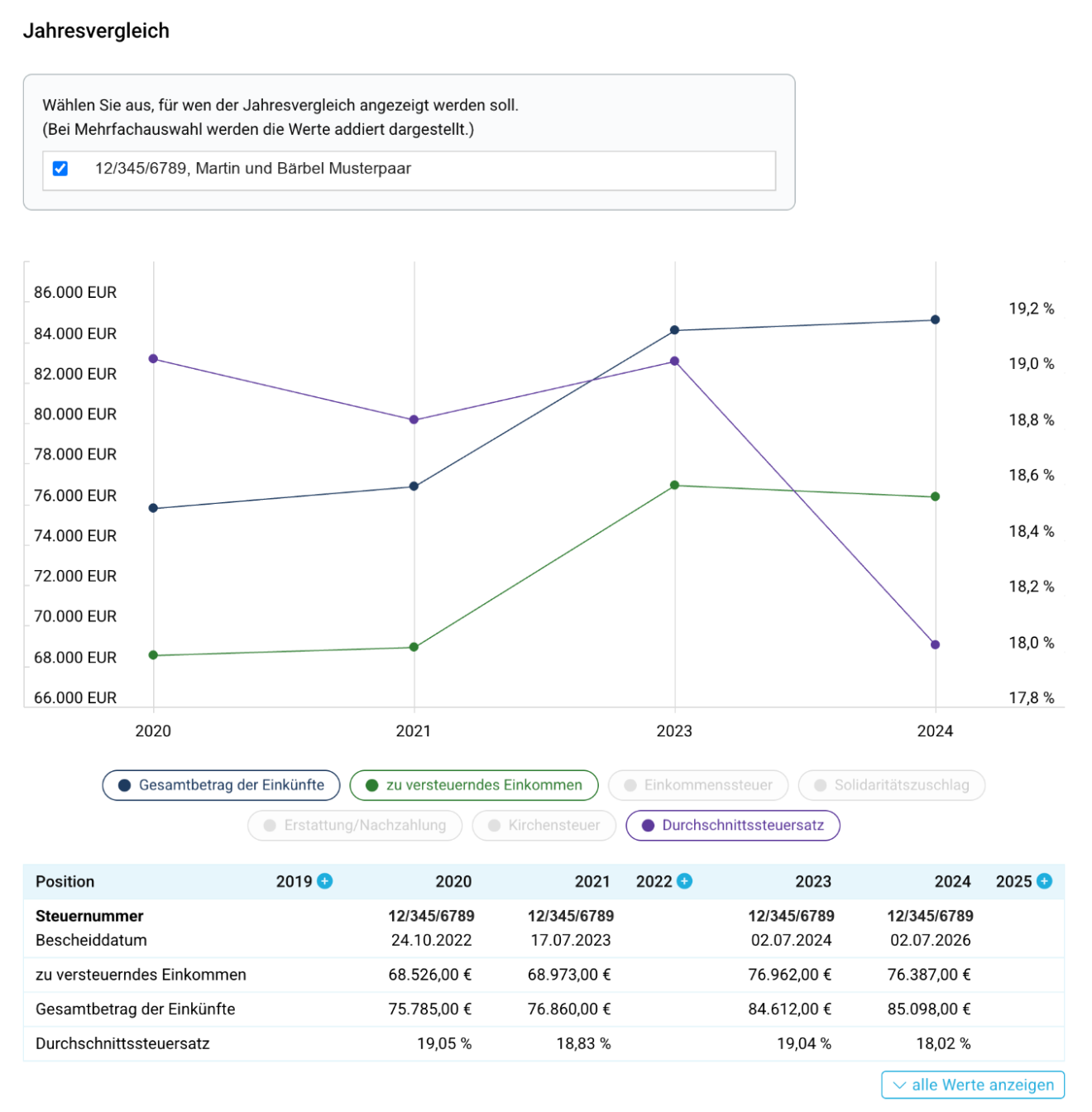
The year-on-year comparison shows important values from your tax assessments and manually supplemented years over several years – both as a table and as a graph. This allows you to see at a glance how, for example, your taxable income, the total amount of income or your average tax rate have developed.
What does the annual comparison show me?
How do I add a missing year?
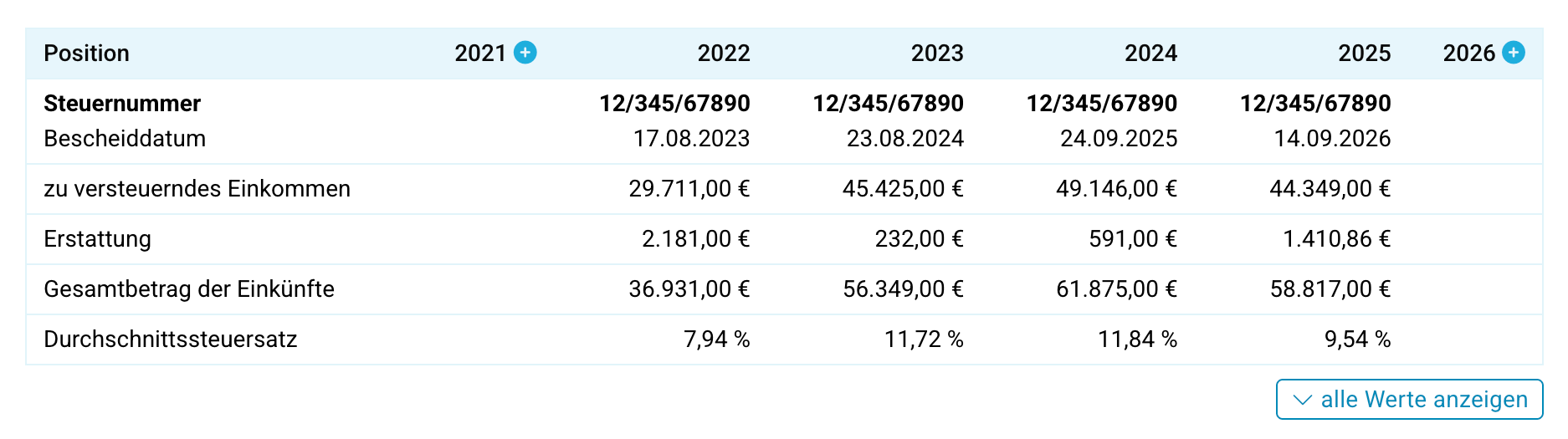
You can manually add data for a missing year or start a new tax return. To do this, click on the plus symbol next to a year in the table header. Not all missing years are displayed. Once you have added a year, further relevant years will be offered.
How do I add a missing year?
When should I select "Compare values manually" and when "Start new tax return"?
Select “Compare values manually” if you already have the tax assessment for the year and only want to supplement the key values for comparison.
Select “Start new tax return” if you have not yet created a tax return for this year. You will then be taken to the start dialogue for a new tax return.
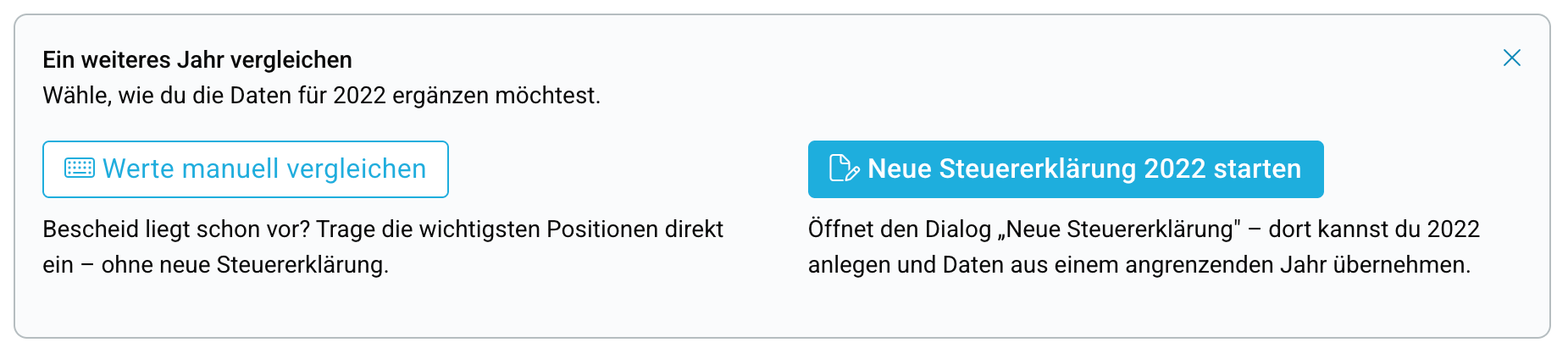
When should I select "Compare values manually" and when "Start new tax return"?
What information do I need for a manual addition?
First, select the appropriate tax number. For a manually added year, these three details are required:
- taxable income
- total income
- income tax
Optionally, you can enter the notice date as well as the solidarity surcharge, church tax, and any refunds or additional payments. Numbers can be entered as "1,234.56", "1234.56" or "1234".
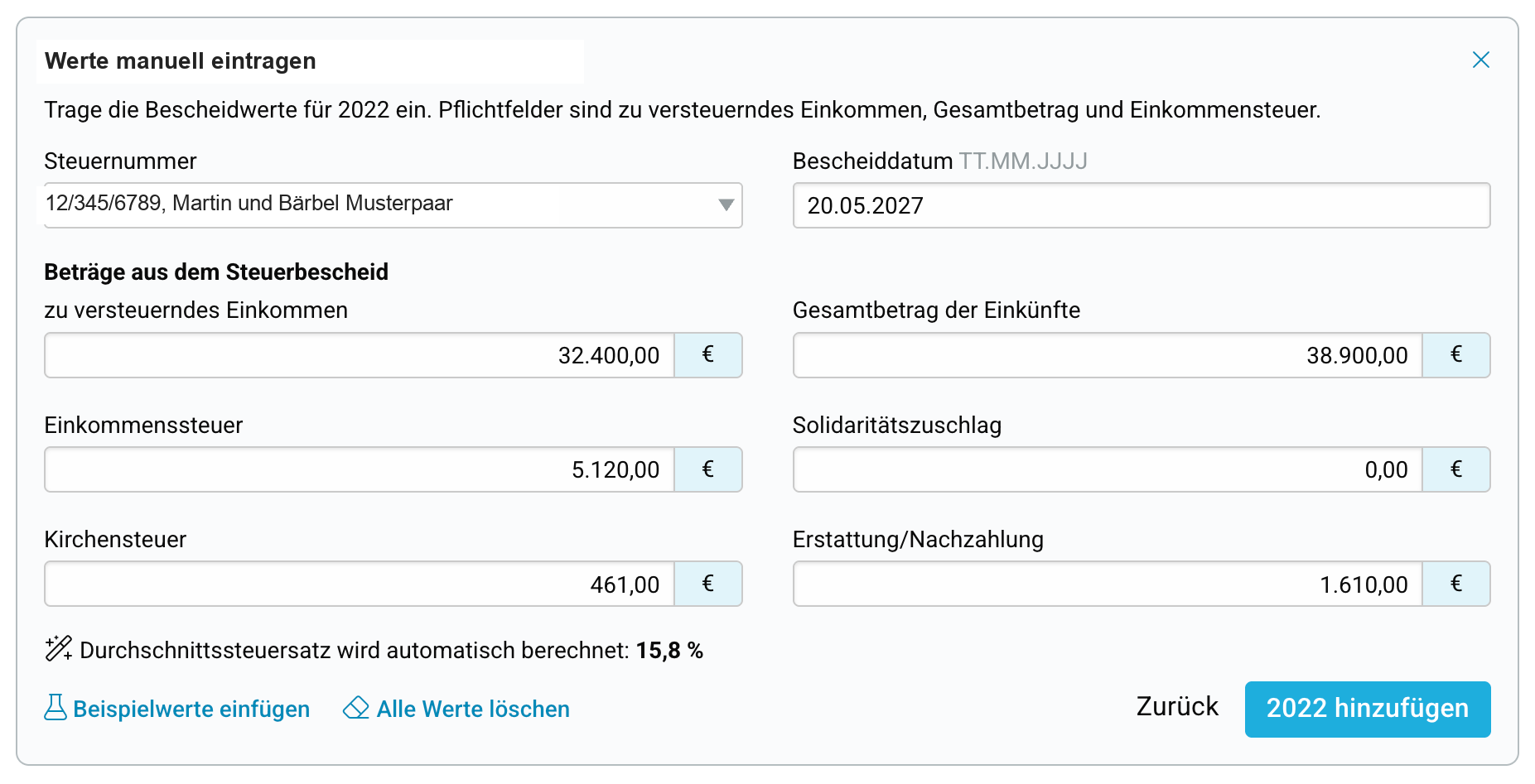
What information do I need for a manual addition?
Do I have to calculate the average tax rate myself?
No. The average tax rate is calculated automatically from the taxable income and income tax. Once both values are entered, you will see the result directly in the form.
Do I have to calculate the average tax rate myself?
What happens after saving?
After clicking “Add [year]”, the added year will appear as its own column in the table. The values will also be included in the graph. This makes the development visible for years for which tax assessment data is not available for comparison.
What happens after saving?
Can I change or delete manually entered values later?
Yes. Manually added years are indicated by the pencil icon next to the year. Click on it to edit the values.
Use “Delete all values” to clear the form first. Then save the change to permanently remove the manually added values.
You cannot edit or delete automatically imported tax assessment data in the annual comparison.
Can I change or delete manually entered values later?
What is the source of the year-on-year data?
The year-on-year comparison uses data from your existing tax assessments. These values are automatically transferred and cannot be changed in the year-on-year comparison.
If assessment data is missing for a particular year, you can manually add the key values from your tax assessment. This allows you to include years in the comparison for which no data is automatically available.
What is the source of the year-on-year data?
Why is a year missing in the year-on-year comparison?
A year may be missing if no tax assessment data is available for the year-on-year comparison and you have not yet added any values manually.
If you already have a tax assessment for the missing year, you can add the key values manually. If you would like to create a tax return for the year using SteuerGo, you can instead start a new tax return.
Why is a year missing in the year-on-year comparison?