What does the bell in the menu mean?
The bell icon at the top right of the menu is your entry point to "What's new?". As soon as there are updates you haven't seen yet, a number will appear next to the bell. This indicates how many new entries have been published since your last visit to the overview.
Click on the bell to open the overview. The number will disappear until new entries are published again.

What does the bell in the menu mean?
Where can I find all the news?
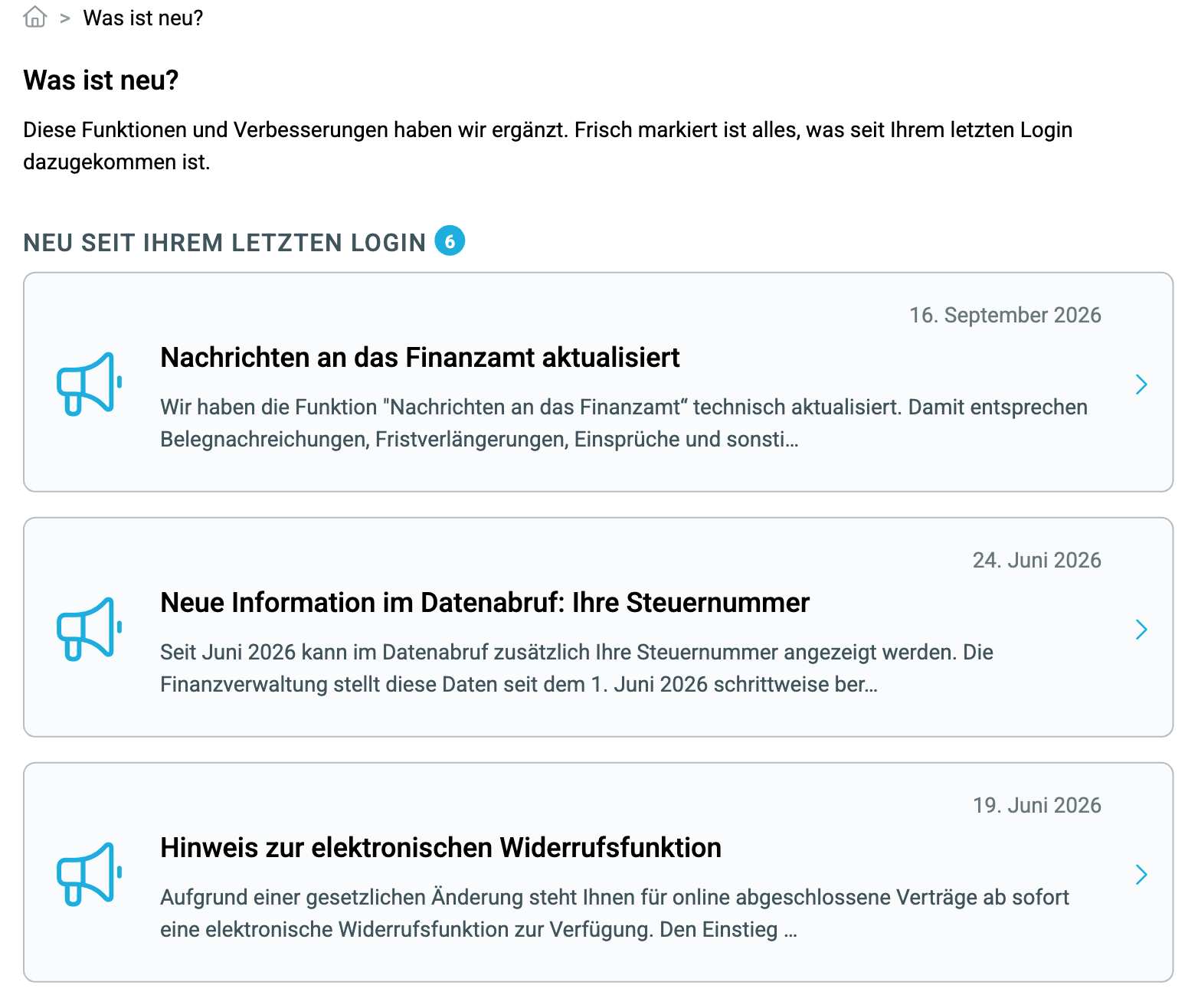
Clicking on the bell opens the “What's new?” page. Here you will find all news items in chronological order, with the most recent first. Each entry shows the date, title, and the first few lines of the text. Under “New since your last login”, you can see how many entries have been added since your last visit.
You can access the page at any time, even if there are no new items, to read older entries.
Where can I find all the news?
What does a single entry show me?
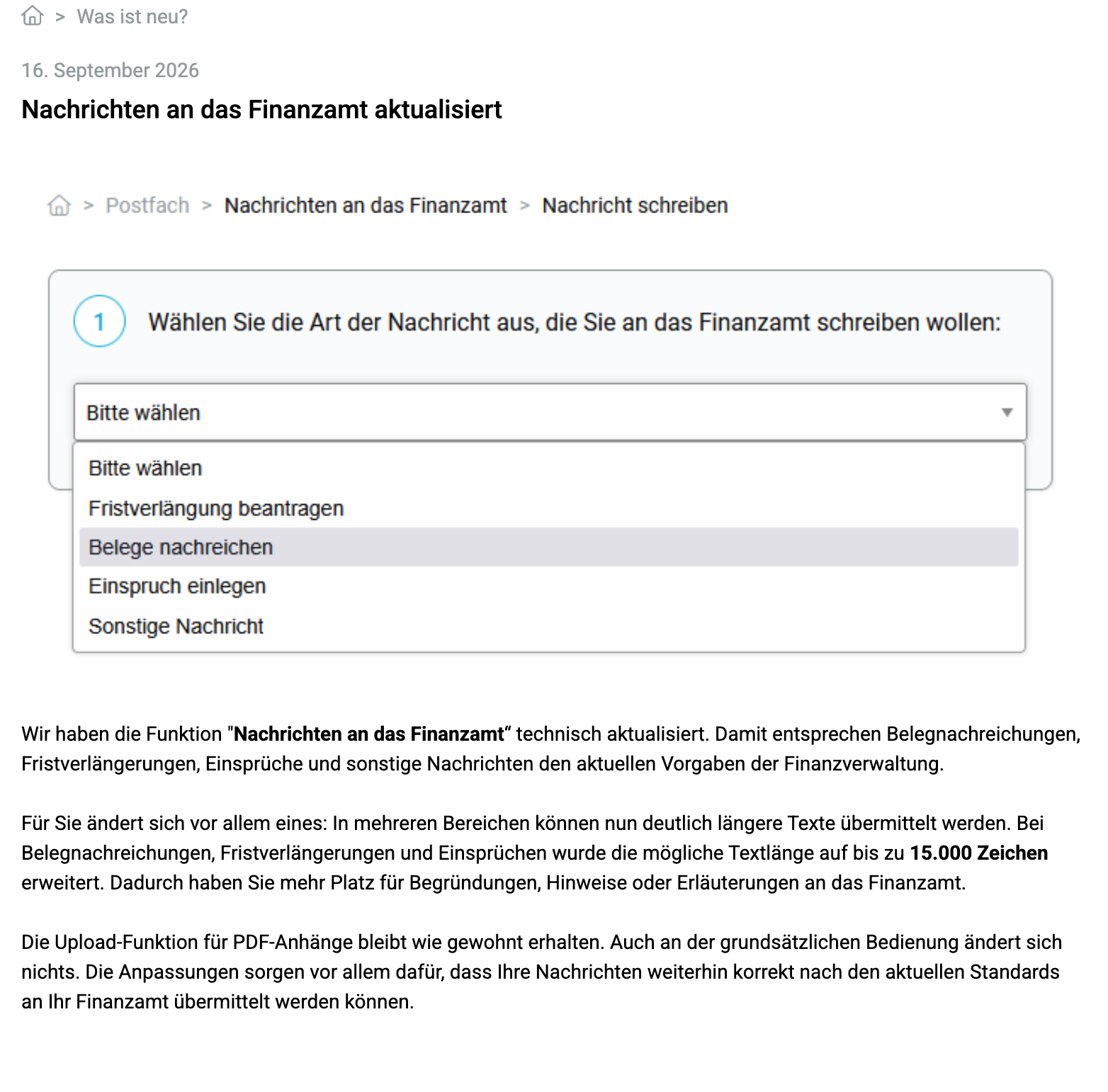
Click on an entry in the overview to read it in full. You will see the date, the title, usually a screenshot of the new feature, and the description of what has changed and what it means for you.
For some entries, you will find a button at the end that allows you to try out the new feature directly, for example, “Try annual comparison”. Click on “What’s new?” in the navigation bar to return to the overview.
What does a single entry show me?