The entire world of tax knowledge

SteuerGo FAQs


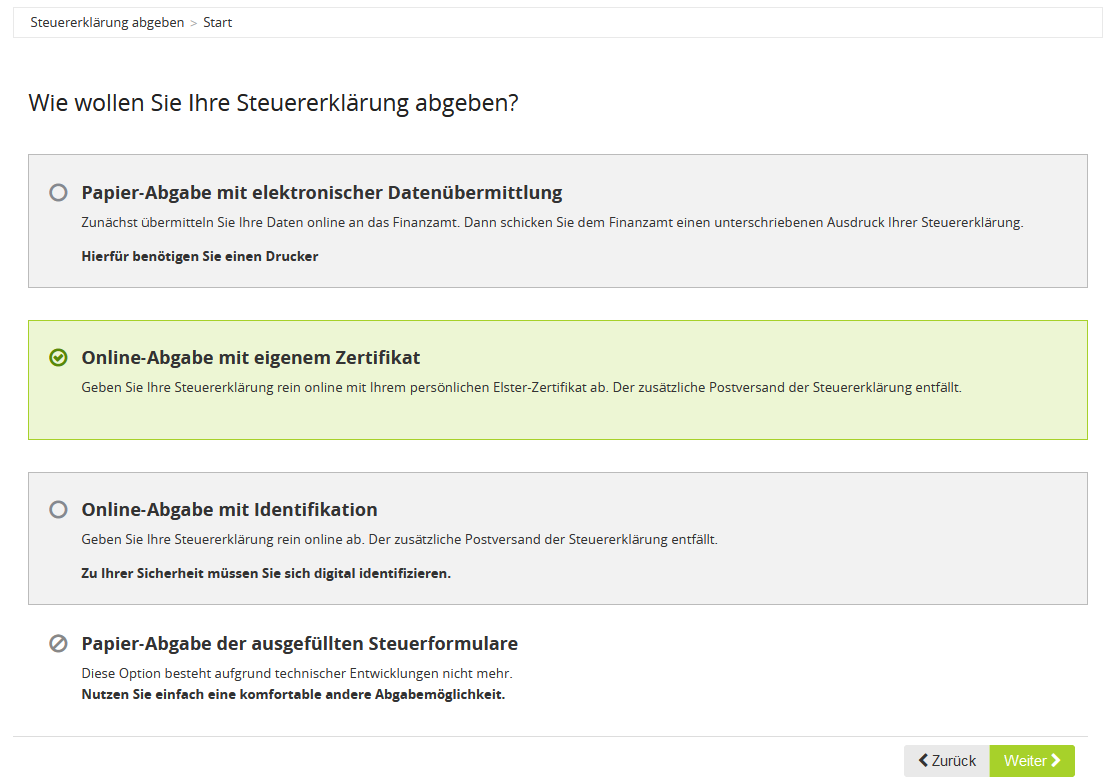
Online submission with your own certificate

When filing online using your own ELSTER certificate, you submit your tax return to the tax authorities securely and in encrypted form with SteuerGo. An additional printed copy with a signature and postal submission are not required.

What do you need in order to file?

You need a valid personal ELSTER certificate. If you do not yet have a certificate, you can apply for one free of charge at ELSTER.

Online filing with your own ELSTER certificate

Which documents will you receive after filing?

Once the transmission has been completed successfully, the confirmation of receipt as a PDF file will be available to you under “Submit tax return”:

  • The first page contains the dispatch and receipt confirmation generated by SteuerGo, including the dispatch date and transfer ticket. It documents the successful receipt on the ELSTER servers of the tax authorities.
  • The following pages contain the transmitted data from your tax return.

Download the complete confirmation of receipt and keep it as proof of transmission.

Wichtig
What applies if you receive a reminder despite successful filing?

Present the confirmation of receipt to your tax office and explicitly ask them to check receipt and whereabouts using the transfer ticket. Please observe any deadlines set.

Do not resubmit the return solely because of a reminder. As a rule, a further submission should only be made if changes are required or after explicit agreement with the tax office.

How do you submit supporting documents afterwards?

If the tax office requests supporting documents, you can submit them via the electronic document submission service in SteuerGo.

Text reviews: Online submission with your own certificate


3.86 of 5
Number of reviews: 757