The entire world of tax knowledge

SteuerGo FAQs


How do I create a note?

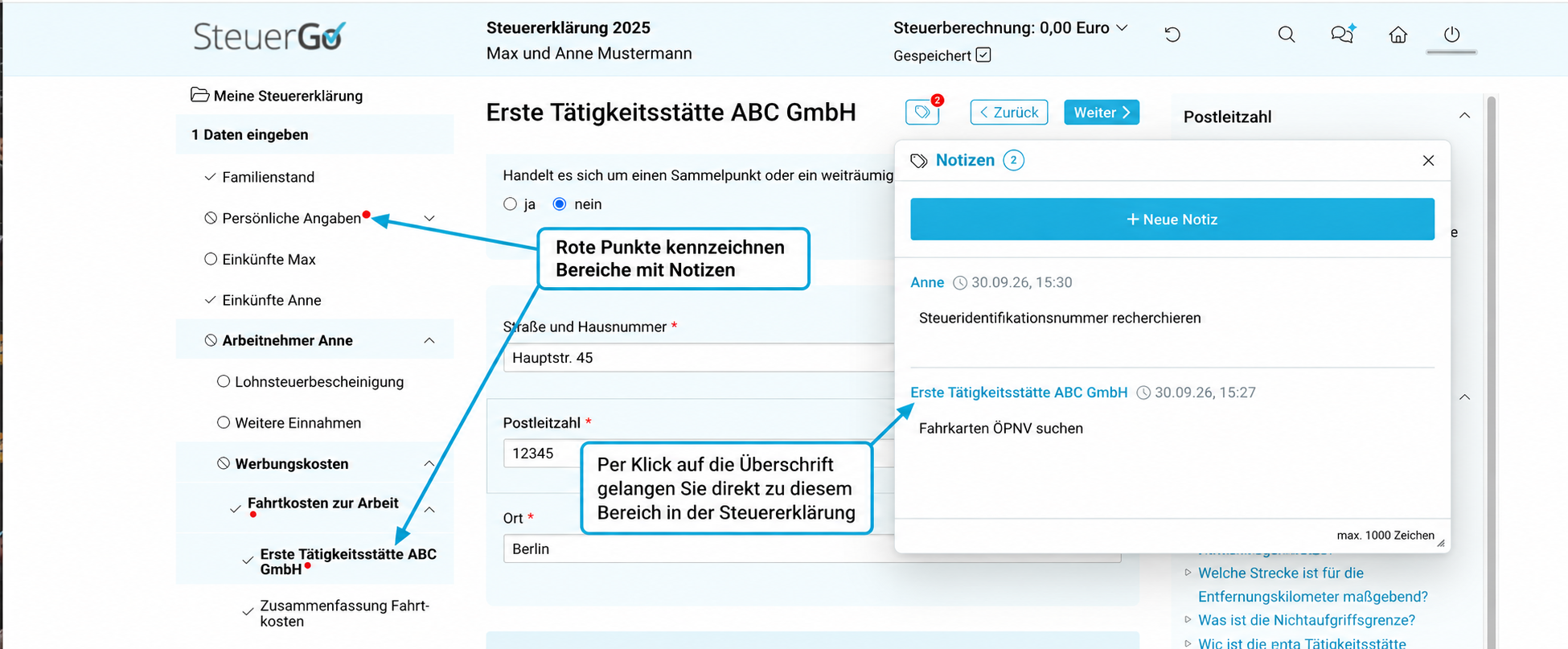
Click the notes icon to open the notes window. The notes window can be moved freely within the programme interface and resized as required. Click the “+ New note” button to start a new note.

The note is automatically assigned to the current section of the tax return. This is shown in the note heading and can be clicked. One click takes you directly to the relevant point in the tax return.

Sections in which a note has been created are marked in the left-hand menu with a small red dot. This allows you to see at a glance where notes have been saved.

A red counter on the icon indicates how many notes have been created in total.