How do you activate data retrieval if you are already registered with ELSTER?
If you already have an active ELSTER account, the data retrieval authorisation is activated directly online in your ELSTER user account. You will not automatically receive an activation code by post in this case.
Please proceed as follows:
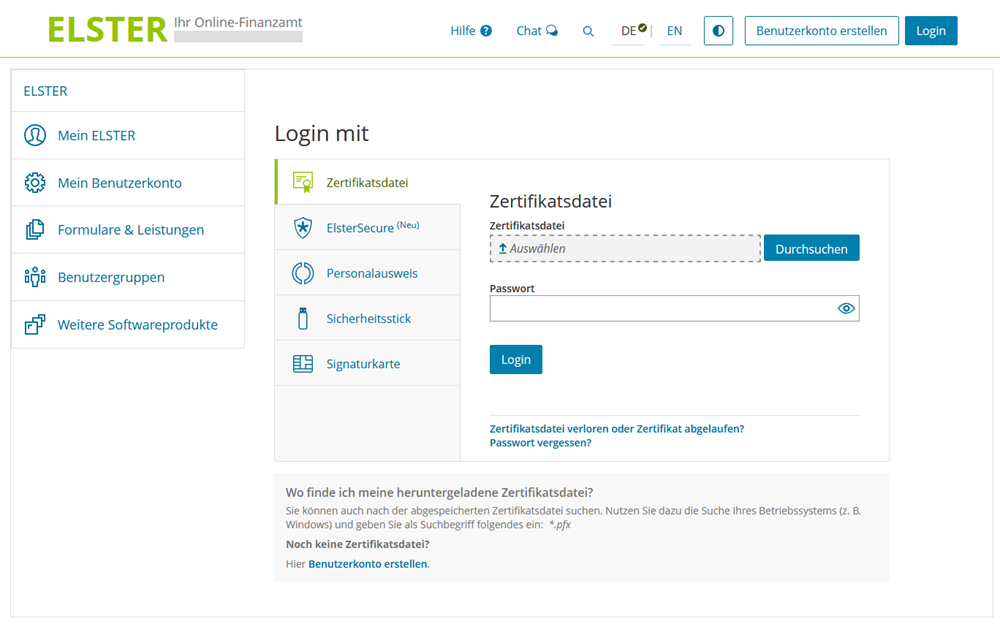
- Log in to the "Mein ELSTER" portal at www.elster.de.
- Navigate to:
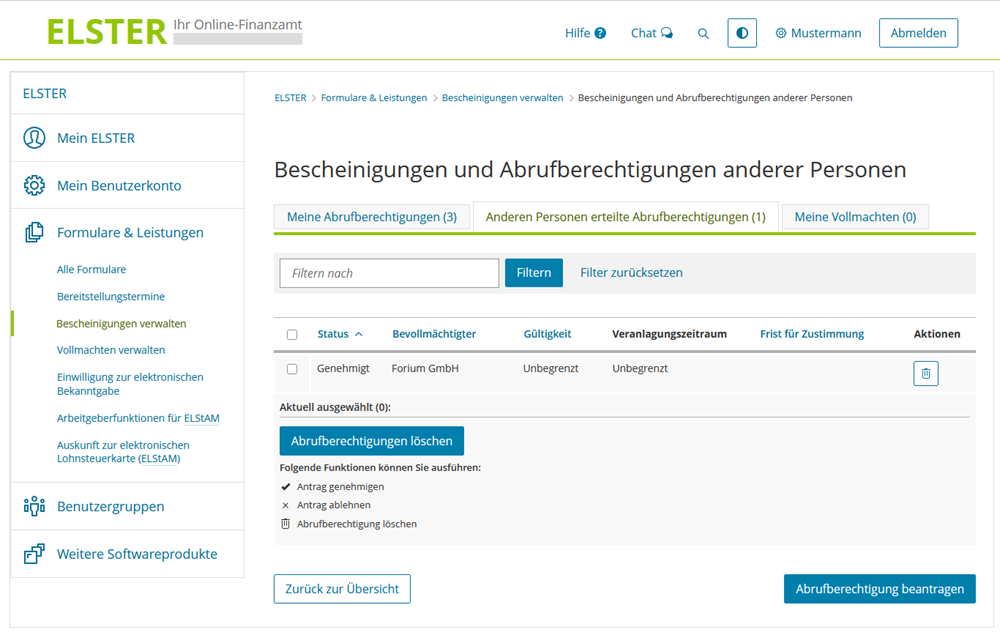
Forms & Services → Manage certificates → Certificates of other persons
- Select the section for "Data retrieval authorisations granted to other persons".
- Grant authorisation for the following authorised representative:
"forium GmbH" (operator of SteuerGo)
This authorises SteuerGo to retrieve the electronic data stored at the tax office on your behalf.
After activation, it may take up to 48 hours for the data to be retrieved by SteuerGo for the first time. You will then be automatically informed by email.
Note: If your ELSTER access is no longer active (e.g. because the certificate has expired), you must register again. For security reasons, you will receive part of the activation data by post during the registration process.
Text reviews: How do you activate data retrieval if you are already registered with ELSTER?
5.00
of 5
Number of reviews: 2